
Ok

Ok

What is the question
Cancel
PICTURE FRAMES
 CUSTOM PICTURE FRAMES
CUSTOM PICTURE FRAMES
Design Your Framing Package Online!
Add Mats, Glass & Acrylic, Mounting Board And More.





Search

My Account
Log In
Favorites
Saved Designs
Shopping Cart
Design a Custom Picture Mat That Fits Your Artwork Perfectly
Create precision-cut mats in minutes: single, double, triple, and collage mats, plus fillets, pastel mats, and mat blanks. Preview your layout before ordering.
Design With Mat 9614
Need help? Scroll for sizing tips, color guidance, and FAQs.

9614
Similar to 9805 Coconut Milk but with slight texture
Choose A Custom Mat Design Style
Choose the mat style you want to create and jump straight into the design process.
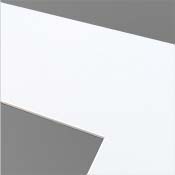
Single Mat
Clean, classic presentation
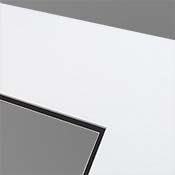
Double Mat
Added depth and contrast
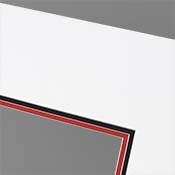
Triple Mat
Bold, gallery-style look
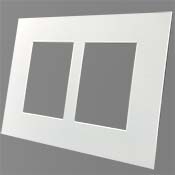
Collage Mat
Multiple openings in one frame
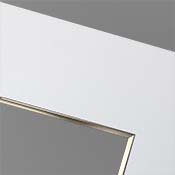
Mat with Fillet
Decorative inner accent
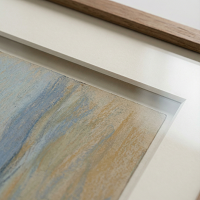
Single Pastel Mat
Single mat options for pastels
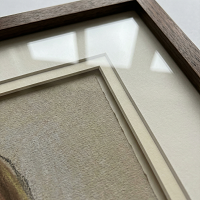
Double Pastel Mat
Double mat options for pastels
Mat Blank
No opening cut
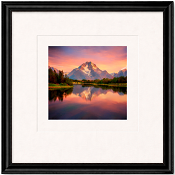
Floated Artwork
Single mat with artwork floated on a mat blank
Why Choose a Custom Mat Instead of a Standard Size?
Standard pre-cut mats force artwork into preset sizes. A custom mat is made specifically for your artwork, so the opening fits cleanly and the proportions look intentional.
- Fits non-standard artwork sizes
- Controls the breathing room around the piece
- Helps keep artwork separated from glazing
- Matches colors to artwork, frame finishes, or decor
- Supports layered designs for depth (double and triple)
How the Custom Mat Designer Works
- Enter artwork size to get a precise mat opening.
- Choose border widths to control the overall look.
- Select mat colors (classic neutrals or bold accents).
- Add options like double and triple layers, collage openings, fillets, or blanks.
- Preview and order once the design looks perfect.
Start Designing Mats
Types of Mats You Can Create
The tool supports these mat styles (ordered by popularity):
Single Opening Mats (Most Popular)
A clean, classic presentation for photography, prints, drawings, and artwork.
Double Mats
Add a second mat layer beneath the top mat for depth, contrast, and a more finished look.
Triple Mats
Three layers for a bold, gallery-style presentation and maximum depth.
Collage Mats (Multiple Openings)
Multiple openings in a single mat to display several photos or pieces in one frame.
Single Mat With Fillet
Add a refined inner accent near the opening for subtle decorative detail.
Pastel Mats (Single and Double)
Designed for pastel artwork where spacing and presentation are especially important.
Mat Blanks (No Opening)
No window cutout, useful for mounting layers, backing, spacers, or DIY projects.
Design Your Custom Mat
Choosing the Right Mat Color
Mat color has a huge impact on the final presentation.
- White and off-white: classic, neutral, versatile
- Neutrals: complement artwork without competing
- Bold colors: add drama and emphasize contrast
- Accent colors: pull subtle tones from inside the artwork
Helpful Tips for Great Mat Design
- Measure artwork carefully before entering dimensions.
- Wide borders can feel more gallery, narrow borders more modern.
- Double mats add depth without overpowering the artwork.
- Match mat colors to the artwork first, then decor second.
- When in doubt, simpler designs tend to age better.
Frequently Asked Questions
Can I design mats for non-standard artwork sizes?
Yes. The designer is built for custom dimensions, so you can fit artwork that is not a standard size.
Can I preview my mat before ordering?
Yes. Use the preview to confirm border widths, openings, colors, and layering before checkout.
What is a mat blank?
A mat blank is a matboard cut to size with no opening, useful for mounting layers, backing, spacers, or DIY cutting later.
What is the difference between single, double, and triple mats?
Single mats are classic and minimal. Double mats add depth and contrast. Triple mats maximize depth for a bold, gallery-style presentation.
Start Designing Mats